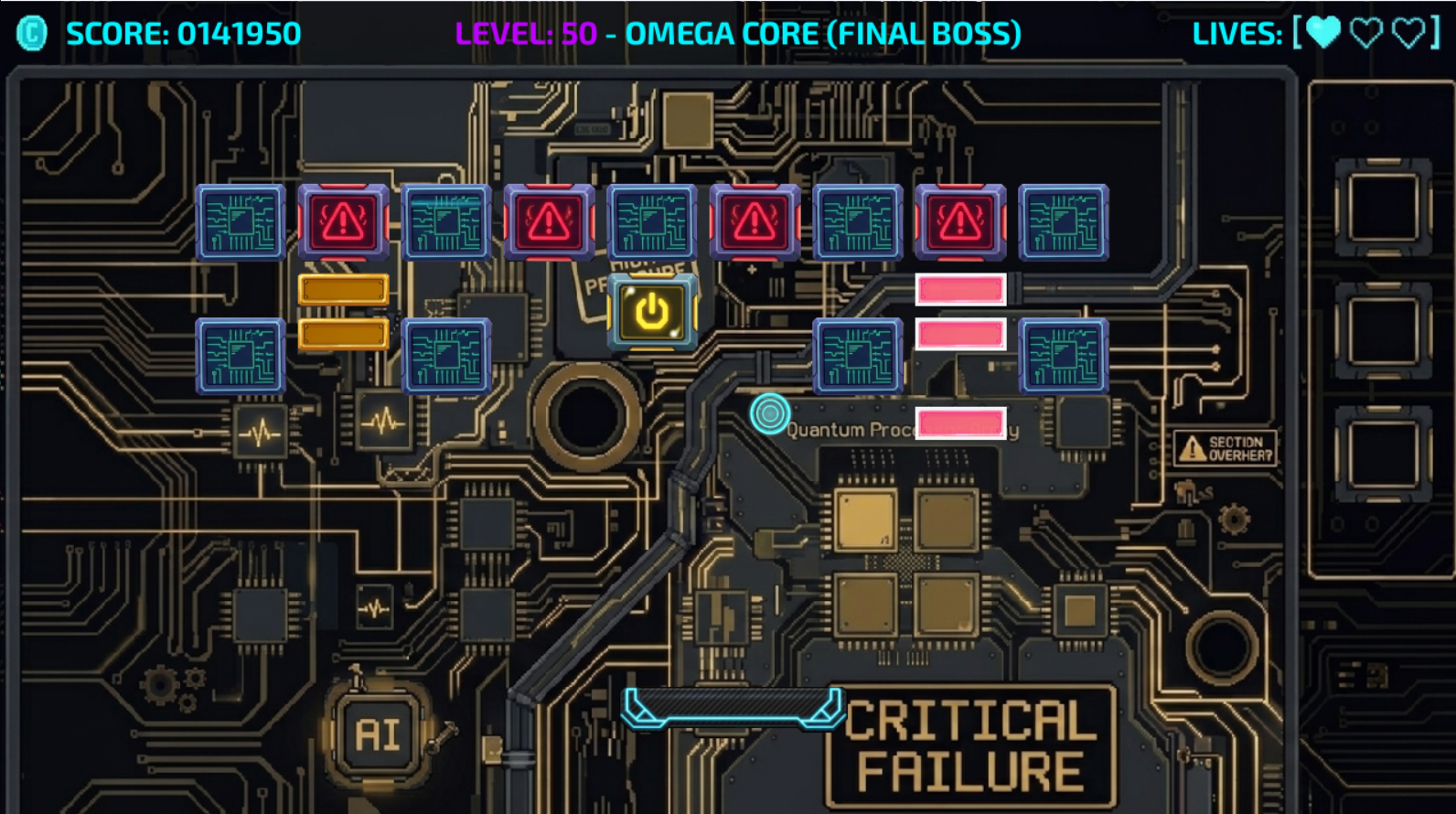
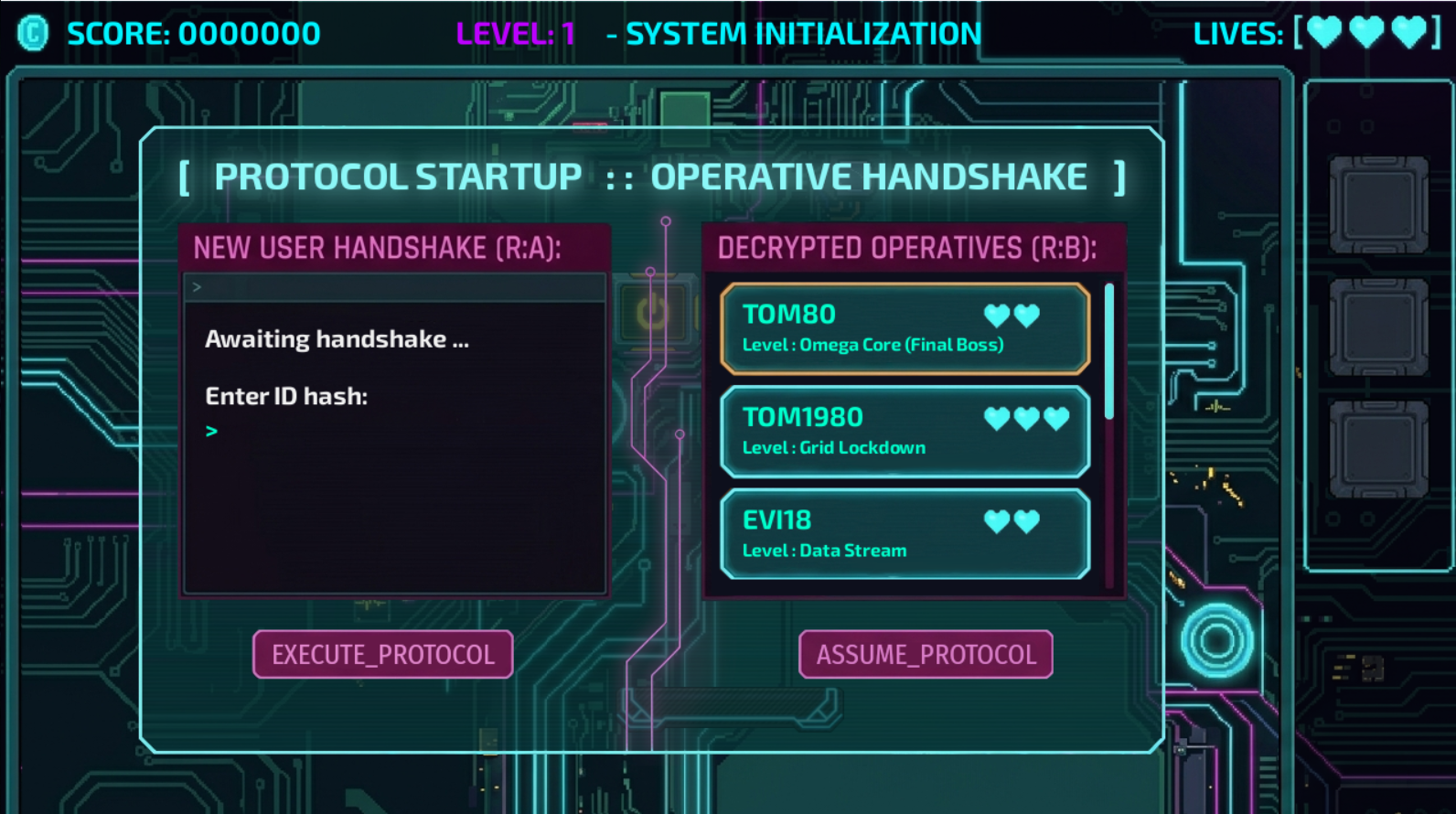
I’m excited to finally share System Breach: Protocol, a cyberpunk-themed twist on the classic Breakout mechanics, built entirely from scratch from the ground up using PyGame!
What started as a Day 87 assignment turned into a labor of love over a couple of months—juggled between returning to full-time work and coding late into the evenings.
🕹️ The Concept
Instead of a standard bat-and-ball game, you play as a cyber-hacker. The paddle and ball are re-imagined as data packets deployed to breach secured data blocks.
🛠️ How I Approached It (The Tech Stack)
Instead of sticking with standard Turtle graphics, I wanted to push myself and branched out into PyGame. Because I wanted to deeply understand the engine, I skipped ready-made plugins and built the foundation from the ground level up:
- Architecture: A central SystemBreach class manages the main game loop logic and handles component instantiations.
- Physics Engine: Built a custom physics class to handle complex math for projectile arching, "glitching" mechanics, hits, and explosion particles.
- Component-Driven Sprites: Developed dedicated Sprite classes for every interactive element. Each one independently processes localized entity states, glitch timing, and payload boundary math before blitting.
- State Management: Integrated custom interface and stage classes to handle game state events, menus, a dynamic scoreboard, and the game HUD.
- Persistent Data: A major personal milestone for this project was implementing custom user data storage. When you boot the game, a custom terminal loads allowing you to create a new profile or pick up exactly where you left off.
💡 What Was Easy vs. What Was Hard
- The Easy Part: Brainstorming the cyberpunk theme and mapping out the initial game documentation gave me a crystal-clear roadmap to code against.
- The Hard Part (The Visuals): While PyGame is incredibly well-documented, finding comprehensive implementation examples was tough. Furthermore, the graphics were a massive hurdle. Armed only with GIMP and some backdrop help from Gemini, I had to hand-draw the game's endless animations frame-by-frame. AI couldn't save me there—it just took pure time and patience! But I found a tool called Aseprite, an animated sprite editor useful for testing the animations prior implementation.
🎓 Key Learnings & Next Time
- Biggest Takeaway: Building systems from scratch (like custom physics and save-state terminals) takes way longer, but the depth of understanding you gain is unmatched.
- What I'd Do Differently: Next time, I would look into dedicated sprite-sheet tools or open-source asset packs earlier in the pipeline to optimize the art workflow, rather than manually grinding out every frame in GIMP. It would free up more time to focus purely on the gameplay loops.
If you want to try your hand at bypassing the data blocks, head over to the GitHub repo! If you're on Linux or Mac, I've also included build instructions in the README.md so you can compile it yourself.